SEO Integrity • Website Security
5 Signs Someone Is Using Your Website for Black-Hat SEO (Without You Knowing)
Your website looks fine. The homepage loads. The contact form works. Your last Google Analytics report showed nothing alarming. But somewhere in the background — invisible to every check you've ever run — someone may be using your domain's authority to rank their own spam, drain your crawl budget, and slowly erode the SEO you've spent years building.
Black-hat SEO exploitation attacks are designed to be invisible to the site owner. That is not an accidental side effect — it is the entire point. The attacker needs your domain to keep its authority and keep getting crawled by Google. The moment you notice and clean up, the value they extract from you drops to zero. So they invest significant engineering effort in staying hidden.
The five warning signals below are what you look for when a standard browser check won't show you anything. Each one can be checked in under ten minutes, without server access or technical expertise, using tools that are already available to you.
Why your website becomes a target
To understand the warning signs, it helps to understand what attackers actually want. They are not targeting your website because of anything personal or because they want to disrupt your business. They are targeting your domain because of its age, its backlink profile, and its history of legitimate content — all of which translate directly into search engine trust.
A five-year-old domain with 200 legitimate backlinks and a consistent publishing history has accumulated significant authority with Google. Building that authority legitimately takes years. Compromising a site that already has it takes minutes. For a black-hat SEO operation trying to rank pharmaceutical spam, gambling sites, counterfeit goods, or affiliate link farms, a compromised legitimate domain is a shortcut worth pursuing.
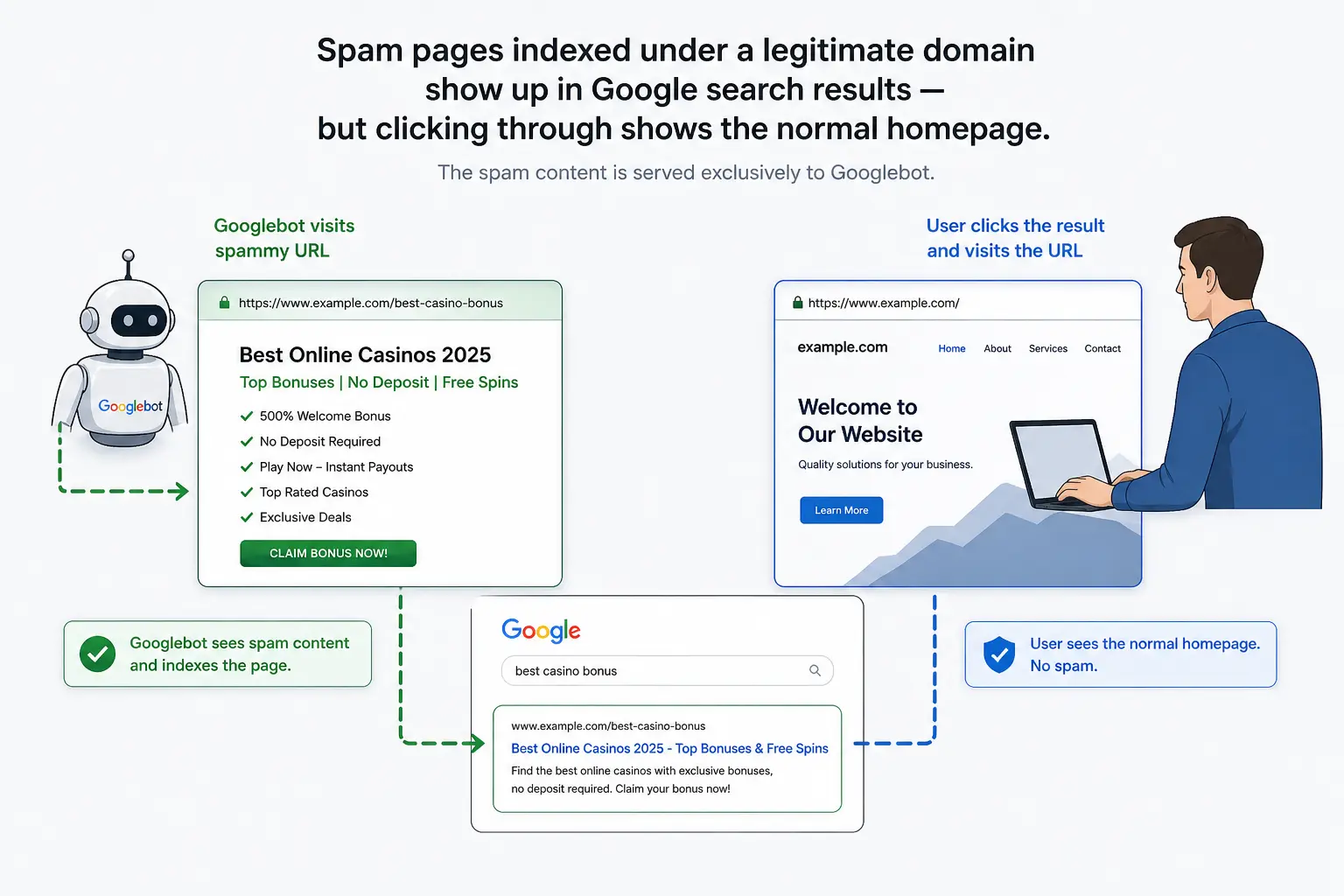
The exploitation typically takes one of two forms: injecting hidden pages that Google indexes under your domain, or hijacking your legitimate pages to serve different content to search crawlers than to real visitors (cloaking). In both cases, your domain does the work of ranking content you never created, for queries you never targeted, benefiting someone you've never met.
Sign 1: Google has indexed far more pages than you ever created
This is the most direct and most reliable indicator of hidden page injection. If your site has 80 pages and Google has indexed 4,000 URLs under your domain, something generated 3,920 pages you know nothing about.
How to check it
Open Google Search Console → Index → Pages. Look at the total count of indexed pages. Compare it against the number of pages you've actually published. A discrepancy of more than 10–15% warrants investigation; anything larger is a red flag.
If you don't have GSC set up, you can run a quick check directly in Google. Search for:
site:yourdomain.com
Google will show an estimated count of indexed pages. Scroll through
the first few pages of results. If you see URLs with paths you don't
recognize — random alphanumeric strings, keyword-stuffed slugs like
/buy-cheap-online/, or topic clusters completely unrelated to your business — you have
hidden pages indexed under your domain.
What you're looking for in the URL list
In GSC, click into the indexed pages list and filter for "Indexed, not submitted in sitemap." Legitimate pages occasionally end up here, but a large volume of them — especially with suspicious URL structures — indicates injected content. Sort by URL and scan for patterns: spam injections typically produce large batches of similarly structured paths.
Common injection URL patterns
- Pharmaceutical keywords:
/buy-viagra-no-prescription/ - Japanese or Chinese characters in the URL path — characteristic of the Japanese keyword hack
- Random-looking alphanumeric slugs:
/a7k3xq2m/ - Gambling, loan, or replica product keyword combinations
Sign 2: Your organic traffic is declining — but your content hasn't changed
Unexplained ranking drops are one of the most common symptoms of an ongoing SEO exploitation attack — and they are almost always misdiagnosed. Site owners attribute the decline to an algorithm update, increased competition, or seasonal variation. These explanations are plausible. They are also how a compromise can go undetected for months.
When an attacker injects hundreds of spam pages under your domain, Google must crawl all of them. This consumes your crawl budget — the finite amount of time Googlebot allocates to your site per crawling cycle. As that budget gets consumed by spam pages, your legitimate content gets crawled less frequently. Updates to real pages take longer to propagate. New content takes longer to index. And the structural association between your domain and spam topics begins to affect how Google evaluates your topical authority.
The result is a slow, diffuse ranking decline — not a sudden collapse. Positions drop by one or two places per week across many queries. Individually, each drop looks like normal fluctuation. Collectively, over two or three months, they add up to a significant traffic loss.
How to distinguish attack-driven decline from normal fluctuation
Open Google Search Console → Search results. Look at the trend for total clicks and total impressions over the past 90 days. Then check whether the decline is:
- Broad and consistent — declining across many queries, not just one or two. Algorithm updates typically affect specific content types or verticals. A broad, consistent decline across unrelated queries is more consistent with a domain-level authority issue.
- Correlated with crawl budget anomalies — in GSC, go to Settings → Crawl stats. If Googlebot is making significantly more requests than usual and the request rate has spiked without any change on your end, it is crawling content you didn't add.
- Not correlated with any content change — if you haven't edited, deleted, or redirected any pages recently, and your competitors haven't made significant gains, the decline needs a different explanation.
The presence of all three patterns together is a strong signal. Run the index count check from Sign 1 immediately.
Sign 3: Your site appears in Google for topics completely unrelated to your business
This one is uncomfortable to discover, but it is one of the clearest possible signals of a compromised site. If your business is a bakery in Manchester and Google returns results from your domain for "buy tramadol without prescription UK," you have a serious, active problem.
Attackers target specific, high-value keyword categories because those are the queries where ranking is most profitable. The most common categories seen in site compromises are:
- 1 Pharmaceuticals — prescription medications, weight loss drugs, controlled substances, generics sold outside regulated channels.
- 2 Online gambling — casino platforms, sports betting operators, poker sites, many operating without licences in the target jurisdiction.
- 3 Counterfeit luxury goods — replica watches, handbags, trainers.
- 4 Predatory financial products — payday loans, unlicensed credit brokers, cryptocurrency scam funnels.
- 5 Multilingual spam — Japanese, Chinese, Russian, or other-language keyword pages targeting markets where the compromised domain has no real presence.
How to check it
Run targeted Google searches against your domain:
site:yourdomain.com viagra

site:yourdomain.com casino

site:yourdomain.com "buy cheap"

site:yourdomain.com loan
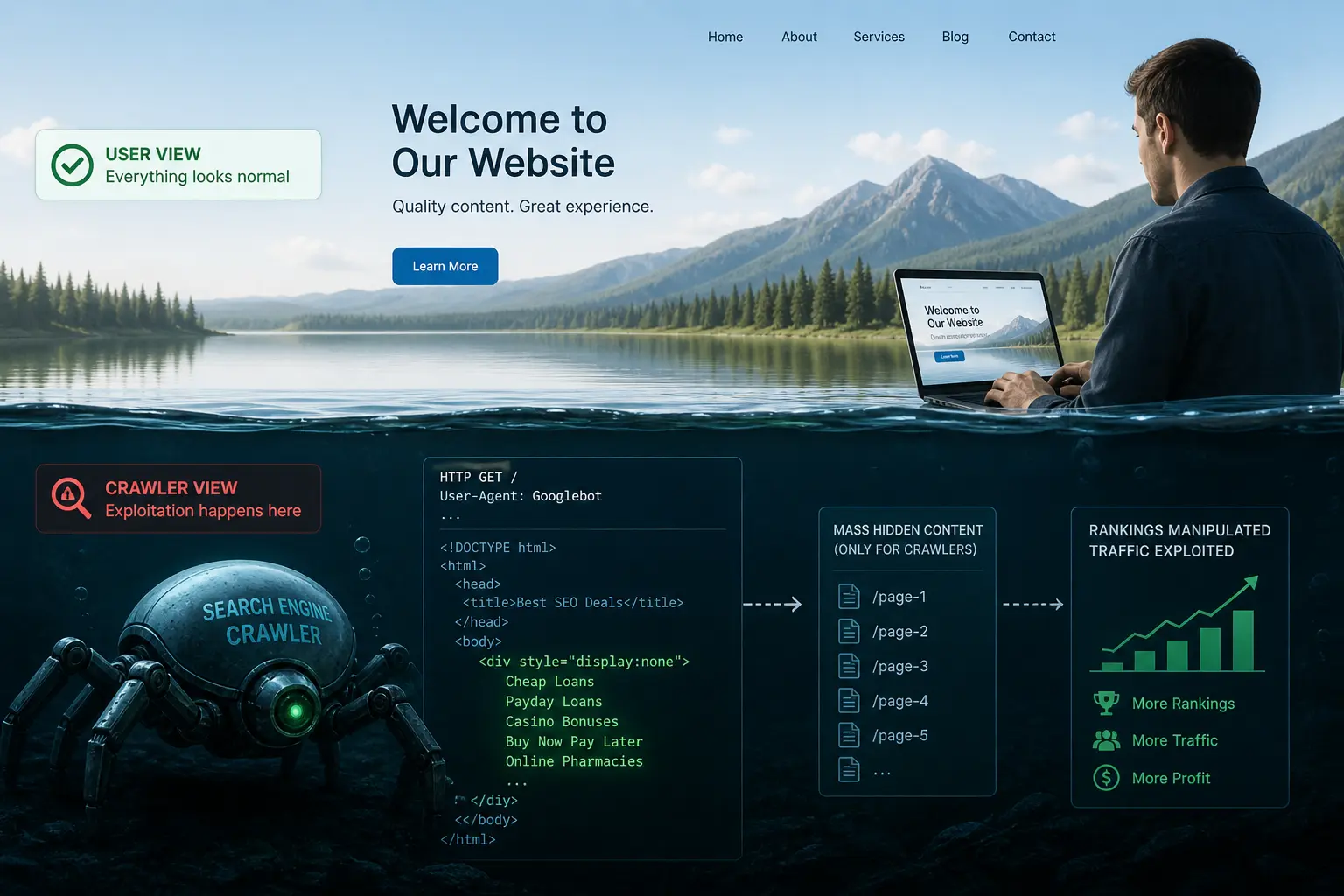
A clean site returns zero results for all of these. Any result is a confirmed active injection. Note that the result may disappear when you click through to the URL — because the spam page is only served to Google's crawler, not to your browser. That disappearing act is itself confirmation of cloaking.
Sign 4: Googlebot fetches your pages more than usual — especially at night
This is the least discussed of the five warning signs, but it is one of the earliest to appear. When spam pages are injected into a site, the attacker typically submits sitemaps for the injected URLs, builds internal links between spam pages, and may even acquire external backlinks to accelerate indexing. All of this drives a significant increase in Googlebot crawling activity — and that activity shows up in your server logs and in Google Search Console's crawl statistics before rankings are affected.
How to check it in GSC
Go to Google Search Console → Settings → Crawl stats. You will see a chart of Googlebot requests over time. Look for:
- A sudden spike in daily request volume that isn't correlated with any new content you published.
- A sustained elevated baseline after what appeared to be a normal period — meaning the spike didn't resolve, it became the new normal.
- A high proportion of "not found" (404) responses — injected URLs that were later cleaned but remained in Google's crawl queue.
How to check it in server logs
If you have access to your server's access log, search for requests with the Googlebot user agent and look at which URLs it's requesting. Legitimate Googlebot traffic focuses on your known pages. A compromised site will show Googlebot requesting hundreds of URLs you've never seen in your CMS. The pattern is unmistakable once you see it.
grep "Googlebot" /var/log/apache2/access.log | awk '{print
          $7}' | sort | uniq -c | sort -rn | head -50
This outputs the 50 most frequently crawled URLs by Googlebot. If most of them are unfamiliar, you have your answer.
Sign 5: Googlebot sees different content than your browser on the same URL
This is the most technically decisive sign — and the hardest to detect manually, because by definition you cannot see it in a browser. It is also the most serious: if Googlebot receives different content than real visitors on the same URL, your site is actively cloaking. Cloaking is a direct violation of Google's Webmaster Guidelines and, when discovered during a manual review, results in a Manual Action that can de-index the site entirely.
Cloaking is not always the result of a malicious compromise. It can also be introduced by:
- Caching plugins that serve a cached version to bots but a dynamic version to logged-in users — or vice versa.
- CDN configurations that apply transformations or serve different edge-cached versions depending on user agent.
- A/B testing tools that exclude bots from variant logic and serve a substantially different page structure to crawlers.
- Malicious injected code — the most dangerous variant — that deliberately serves spam content to crawlers and legitimate content to everyone else.
Regardless of the cause, the result is the same: Google indexes content that does not represent your site. In the malicious case, that content actively damages your domain. In the accidental case, it can still cause ranking issues for the content that Google is actually evaluating versus what you intend it to see.
How to check it manually in GSC
In Google Search Console, open the URL Inspection tool and enter one of your key pages. Click "Test Live URL," then "View Tested Page." Under the "More info" tab, select "HTML." This shows the raw HTML that Googlebot received. Download it or copy the content, then compare it against the page source you see in your browser (right-click → View Page Source).
Differences in rendered JavaScript content are expected and normal.
What you are looking for are structural HTML differences: different
body text, additional links in the <head>
or body, injected <div>
blocks not present in your browser view, different <title>
or meta description content. Any of these is a confirmed cloaking discrepancy.
The scaling problem with manual checks
The GSC method works but has a fundamental limitation: you can check one URL at a time, manually, without notification if something changes between checks. If you manage 5 sites with 50 pages each, that is 250 individual manual checks — and any of those pages can be compromised at any point between checks. By the time you do your next round of manual verification, weeks may have passed.
This is the problem CloakScan solves directly. It fetches every monitored URL simultaneously as both a standard browser and as Googlebot, performs a structural HTML comparison between the two responses, and sends an alert the moment a discrepancy appears — no matter which URL it happens on and no matter when it happens. The check runs automatically on a schedule, so you get coverage between manual audits without doing any additional work.
What to do if you find one of these signs
The response depends on which sign you found and how many apply simultaneously.
If you found Sign 1 or 3 (injected pages or wrong-topic results)
This is an active injection. Do not edit anything yet — take a complete backup of the infected state first. The backup is your forensic baseline. Then identify the injection mechanism before removing any content. If you clean the pages without finding how they were injected, reinfection typically occurs within 24–72 hours.
Start by auditing recently modified files on the server, looking for
PHP files that contain user-agent-based conditional logic. Check .htaccess
for rewrite rules that conditionally serve different content to crawlers.
Look for plugin directories that you didn't install.
If you found Sign 2 (unexplained ranking decline)
Rule out other explanations first — algorithm updates, content changes, competitor activity — then run the Sign 1 and Sign 3 checks immediately. Ranking decline in isolation is not specific enough to confirm a compromise, but it should always trigger a content integrity audit.
If you found Sign 4 (unusual crawl activity)
Cross-reference the crawled URLs with your CMS. Any URL Googlebot is requesting that doesn't correspond to a page you created needs to be investigated. Use the GSC URL Inspection tool to see what content Googlebot received at those URLs.
If you found Sign 5 (cloaking discrepancy)
This requires understanding whether the discrepancy is malicious or accidental. If the content Googlebot receives contains spam — links to external pharmaceutical or gambling sites, keyword-stuffed text, hidden content blocks — treat it as an active compromise. If the discrepancy is structural but not obviously malicious (missing navigation, slightly different rendering), investigate your caching layer, CDN configuration, and any recently installed plugins first.
The case for monitoring over point-in-time checks
Every check described in this article is a point-in-time verification. You run it today and it gives you a result for today. Tomorrow, a new injection can appear on a URL you checked yesterday — and you won't know until you run the check again.
The window between injection and detection is where the damage accumulates. The longer an attacker operates under your domain without being detected, the more spam pages get indexed, the more backlink equity gets drained, and the harder the ranking recovery becomes. A compromise detected in 48 hours is a contained incident with a clean remediation path. A compromise detected after four months is a protracted cleanup that may take equally long to recover from.
The only way to close that window is continuous monitoring — automated checks that run on a schedule, compare Googlebot's view of your site against a real browser's view, and alert you the moment something diverges. Doing this manually at scale is impractical. Done automatically, it turns a potentially months-long exposure into a matter of hours.
For freelancers and agencies, there is an additional professional dimension. Being the person who calls the client to say "we detected an issue and here is the remediation plan" is categorically different from being the person the client calls after they noticed their rankings collapsed. The former is a differentiator. The latter is a liability conversation.