Free Tool
Cloaking Checker Tool
Cloakscan is a cloaking checker tool that lets you compare what search engines see versus real users, helping you detect SEO cloaking issues instantly.
What This Cloaking Checker Tool Does
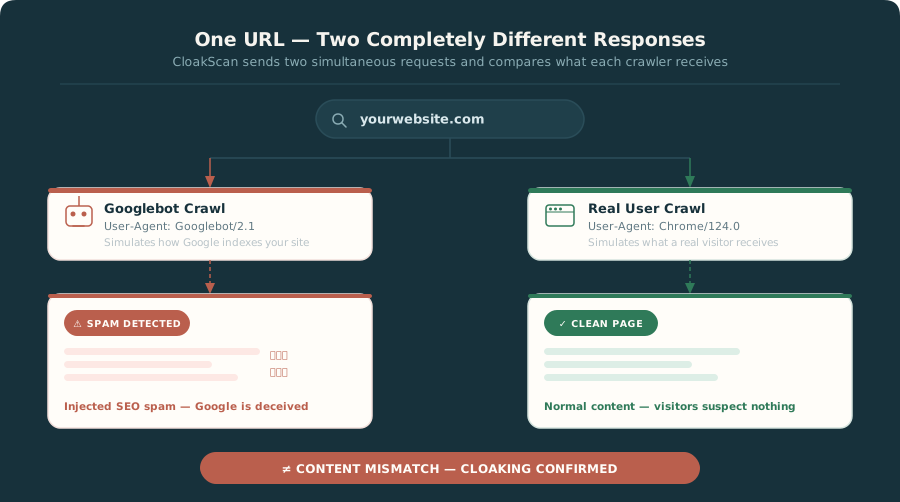
Most security tools only check what visitors see. CloakScan runs two simultaneous crawls and compares them — catching attacks designed specifically to hide from everyone except search engines.
-
Scans as a search engine bot
Simulates a real Googlebot request with correct user-agent and headers.
-
Scans as a real user
A parallel crawl visits the same URL as a normal Chrome browser.
-
Compares HTML, redirects and content
Both crawls are diffed — text, links, hidden elements, redirect chains.
-
Highlights differences automatically
Any mismatch is flagged with a score deduction and clear explanation.
Why CloakScan
Why Use This Cloaking Checker Tool
Manual cloaking tests don't scale. CloakScan automates the entire process and adds checks no manual method can replicate.
No browser plugins required
Works from any device with a browser. Nothing to install, configure or maintain.
No risky testing methods
Passive read-only scans only. No code execution, no server access, no risk of triggering penalties.
Results in SEO terms
Ranking impact, index signals, content mismatches — not raw server logs.
Aligned with Google guidelines
CloakScan mimics how Google crawls. The scan is indistinguishable from a normal visit.
Real-time alerts
Monitor your entire client portfolio and get notified the moment a cloaking anomaly appears.
Shareable PDF reports
Dated 0–100 score report ready to send to clients or use as reconsideration evidence.
How the Cloaking Checker Tool Works
Two headless browsers visit the same URL simultaneously. The difference between what each one receives is the definition of cloaking.
User-agent comparison
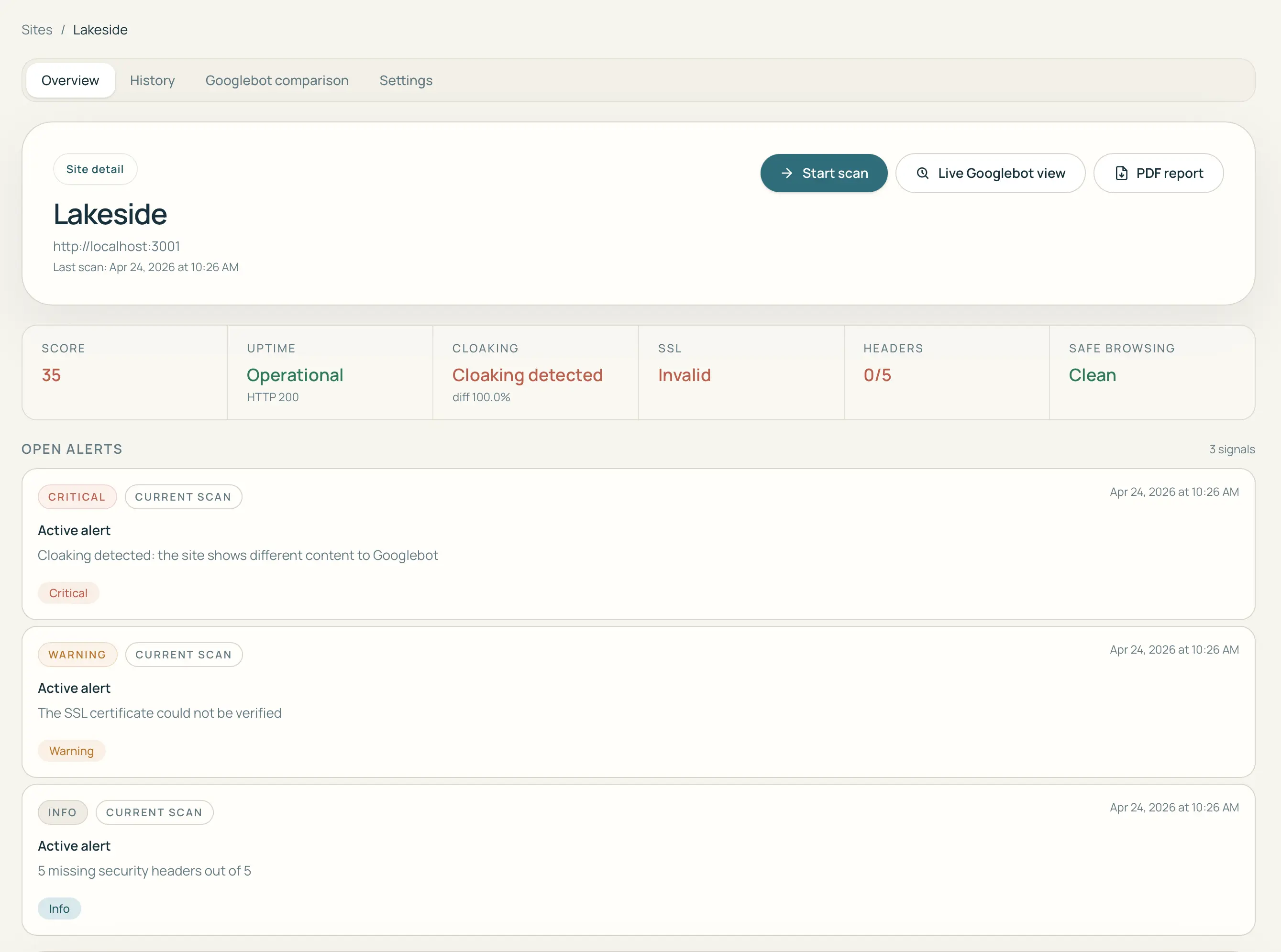
Identical requests are sent with two different user-agents. Any response that differs based solely on who is asking is a cloaking signal.
Server-side response analysis
HTTP status codes, headers and raw HTML are captured for both crawls. Server-side cloaking is caught before the page even renders.
Redirect behavior checks
The full redirect chain is recorded for each crawl. If Googlebot is sent somewhere different from a real visitor, that discrepancy is flagged immediately.
Content mismatch detection
Rendered HTML is diffed using text similarity scoring. Injected spam links, hidden keyword blocks and doorway content all leave a measurable fingerprint.
Cloaking Checker Tool — FAQ
Common questions about how the tool works, what it checks, and whether it's safe to use.
Is this cloaking checker tool safe to use?
Yes. CloakScan performs passive, read-only scans from the outside — no code is injected, no server access is required, and no penalties are triggered. It works exactly like a search engine crawler would.
Can I check Googlebot cloaking?
Yes. The tool simulates a real Googlebot crawl alongside a normal browser visit, then compares the two responses side by side to detect any difference in content or behavior.
Does this tool detect redirect cloaking?
Yes. CloakScan analyzes both the rendered HTML content and the full redirect chain for each crawl, catching cases where users and search engines are sent to different destinations.
Do I need to install a plugin or browser extension?
No. Just paste a URL. CloakScan works entirely from the outside — no plugins, no server access, no code changes needed.
Can I use this tool for client sites I don't own?
Yes, for diagnostic purposes. CloakScan's passive scan is indistinguishable from a normal browser visit. For ongoing monitoring you should have the site owner's authorization.
What does an inconclusive result mean?
Inconclusive means CloakScan could not compare the visitor view with the crawler view — often a 403, a WAF challenge, or an empty body. It is not clean and not cloaking. What your result means .
Free scan — free account required, no credit card
Run your first cloaking check now
Paste a URL and see exactly what Google sees versus what your visitors see — in seconds.
Check your site for free5 manual scans / month · Free account required · No credit card