SEO Integrity • Incident Response
How to Check if Google Has Indexed Spam Pages on Your Domain
A compromised site often looks perfectly normal to the owner. The homepage loads, the CMS works, the forms send, and a quick browser check shows nothing suspicious. Yet Google may already be indexing hundreds of spam URLs under the same domain: pharmaceutical pages, casino landing pages, adult offers, crypto funnels, or language-specific keyword spam that was never visible to any real visitor.
This is one of the most dangerous phases of an SEO compromise because it sits between infection and obvious ranking damage. Once spam URLs start getting indexed, Google is spending crawl budget on garbage, associating your domain with topics you do not own, and evaluating pages that should not exist. The earlier you confirm that state, the smaller the recovery window tends to be.
The workflow below is designed for freelancers, agencies, and site owners who need a fast answer without relying on server-side tools. The goal is simple: verify whether Google has indexed spam pages on your domain, validate whether cloaking is involved, and decide what to do next.
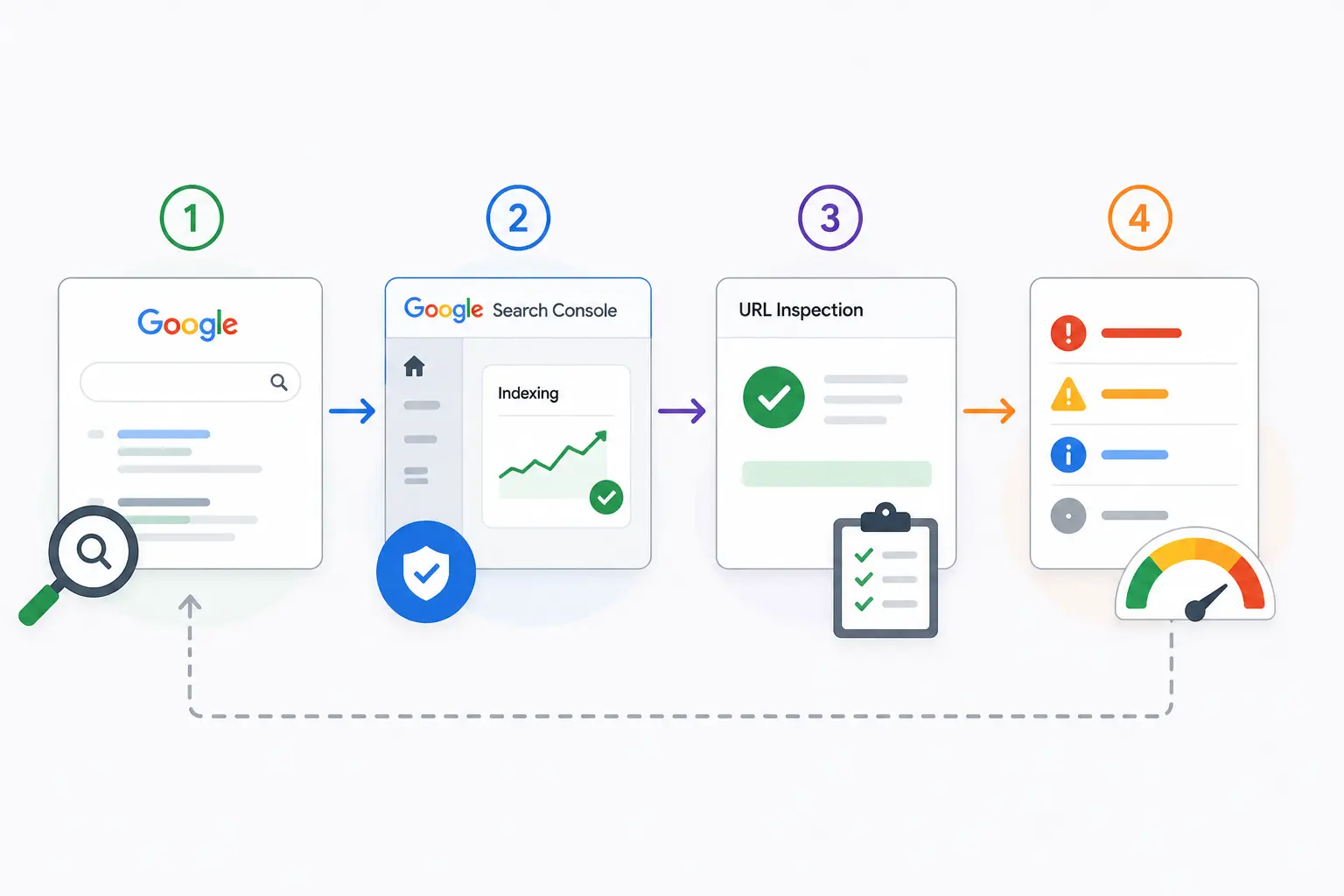
1. Start with the fastest possible Google check
Before opening Search Console or touching the CMS, run a direct search against your domain. This is the quickest way to confirm whether spam pages are already visible in Google results.
site:yourdomain.com

site:yourdomain.com viagra

site:yourdomain.com casino

site:yourdomain.com adult

site:yourdomain.com crypto
The broad query shows you the shape of the indexed footprint. The topic-specific queries test the categories most commonly used in SEO spam campaigns. A clean domain should return no results for those topical searches. If even one result appears for unrelated spam terms, you should treat it as an incident until proven otherwise.
Pay attention to patterns in the snippets and URLs. Suspicious signs include keyword-stuffed paths, random slugs, foreign-language titles, or search snippets that clearly do not match the business. Even if the click-through loads the homepage or a normal page, that does not clear the domain. In many compromises the spam is served only to Googlebot, while browsers get a clean fallback.
2. Confirm the scope inside Google Search Console
Once the search operator suggests a problem, move to Google Search Console to understand scale. Start with Indexing → Pages and compare the indexed page count against the number of pages that should exist. A small mismatch can be normal. A large unexplained delta is not.
The most useful view is usually the group labeled indexed but not submitted in sitemap. On healthy sites this bucket may contain a few legitimate URLs. On compromised sites it often contains large batches of pages that the site owner never created. Sort by URL and look for repeated structures, keyword clusters, or paths that do not belong to the CMS information architecture.
Then check Performance → Search results and filter by Queries. Brand sites that suddenly receive impressions for terms like viagra, casino, betting, pills, Japanese characters, or crypto modifiers are exposing indexed spam to Google already. At that stage the incident is no longer hypothetical.
- 1 Check indexed page count: compare GSC totals with the number of URLs you actually own.
- 2 Filter unexplained URLs: especially pages not present in the sitemap.
- 3 Inspect search queries: unrelated impressions often reveal the spam theme earlier than the page list does.
3. Validate one suspicious URL the right way
After you identify a suspicious result, do not stop at opening the URL in a normal browser. That test is useful, but it is not decisive. Sophisticated SEO spam campaigns serve one version to Googlebot and a clean version to every other visitor. If you only test with a browser, you are testing the exact audience the attacker wants to fool.
Use the URL Inspection tool in Search Console. Run a live test on one suspicious URL, then inspect the HTML or rendered page that Googlebot received. Compare that with what you get in your own browser from the same path. Differences in the main text, outbound links, titles, meta descriptions, canonical tags, or redirect behavior are strong evidence of cloaking.
If the spam page appears in search but disappears on click, that is already a major signal. If Googlebot sees a page that your browser never receives, the site is not merely hosting stray junk. It is actively manipulating crawler visibility.
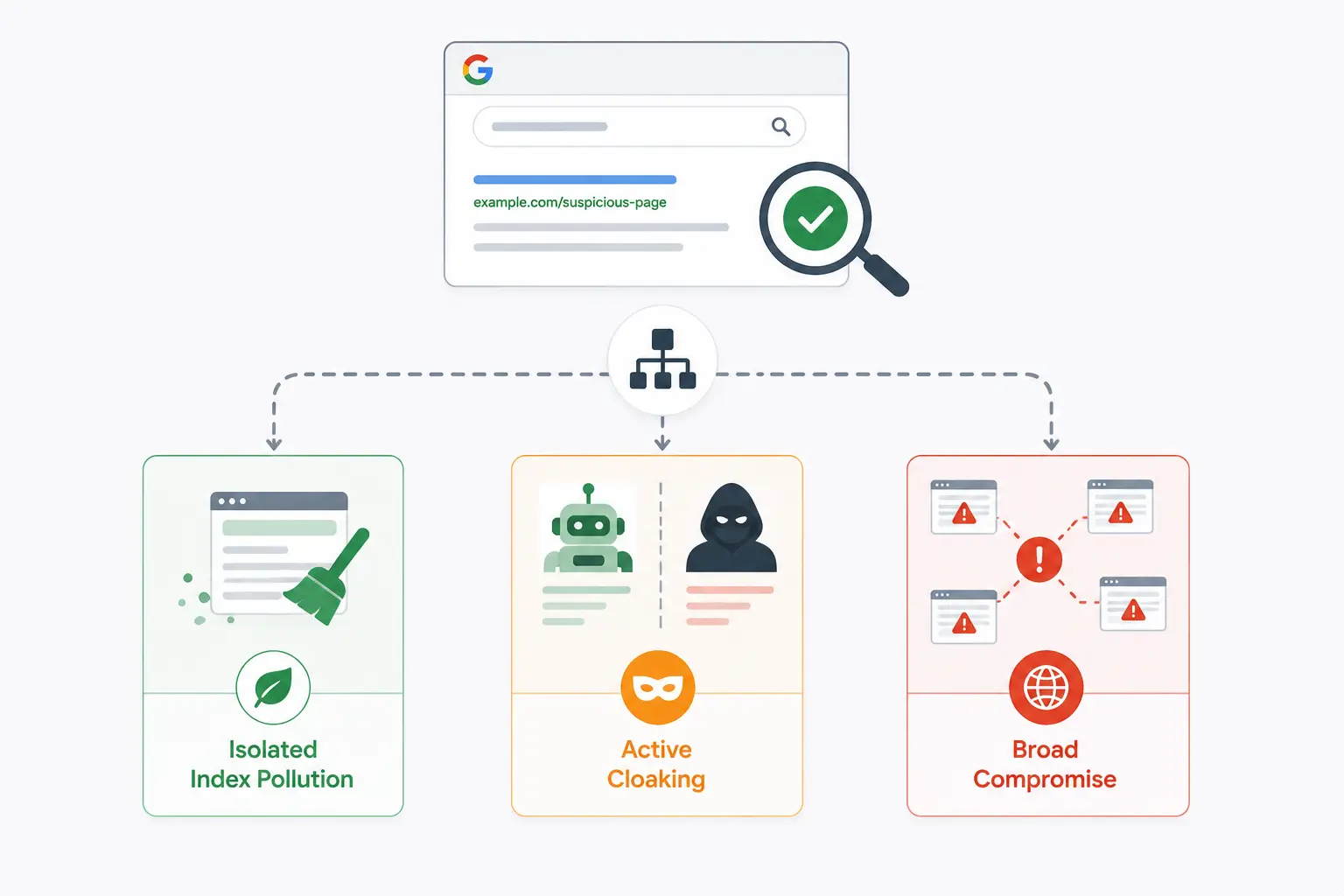
4. Classify what kind of spam incident you are seeing
Not every indexed spam problem looks the same. The remediation path is faster when you classify the incident early.
Isolated spam URLs
A small number of suspicious URLs may indicate a limited injection, old hacked pages that are still indexed, or a localized compromise in a plugin or theme path. This is still serious, but it may be more contained than a site-wide spam campaign.
Topic clusters
Large groups of pharma, casino, adult, or crypto pages usually mean an automated black-hat SEO operation. At that point you should assume the attacker is using your domain authority as a ranking asset, not just dropping random malicious content.
Cloaked index spam
This is the most dangerous variant. Search results show the spam, Googlebot receives the spam, but browsers see a clean site. Cloaked spam remains invisible longer, accumulates more indexed junk, and is more likely to cause prolonged ranking damage before anyone notices.
5. What to do immediately after confirmation
The instinct is to start deleting pages immediately. Resist that for a moment. First capture evidence: screenshots of search results, copies of suspicious URLs, Search Console query data, and any HTML that shows the crawler-user mismatch. That gives you a forensic baseline and makes it easier to verify that the cleanup actually worked.
Next, identify the likely entry point. On WordPress, common causes are outdated plugins, compromised credentials, nulled themes, or backdoors left behind by an earlier infection. If you remove the visible spam without finding the access mechanism, reinfection is common.
After containment and cleanup, request re-crawling only when you are confident the spam pages are gone and the cloaking logic is no longer active. Submitting too early wastes time and can prolong recovery if Google rechecks the site while the compromise is still partially live.
Why point-in-time checks are not enough
Everything in this article is a useful manual workflow, but it remains a point-in-time investigation. You check today and know the status today. A new spam injection tomorrow can sit in the index for days or weeks before the next manual review, especially when you manage multiple client sites or rely on occasional Search Console checks.
That gap is where most of the damage happens. Search engines index the wrong pages, alerts arrive too late, and recovery becomes longer than the original compromise window. Continuous monitoring changes the equation because it checks what Google sees on a schedule instead of waiting for symptoms.
For agencies and freelancers, there is also a service-quality issue. Finding the problem before the client notices is operationally very different from explaining the problem after rankings have already dropped. The first creates trust. The second creates damage control.