Product update · Studio v1.4
Meet the New CloakScan Studio: A Clearer View of Your Websites
When you look after several websites, your first questions are usually simple: what needs attention, what changed, and where should I look next?
The new CloakScan Studio brings those questions to the front. Version 1.4 refreshes the workspace from overview to individual reports, with clearer charts, more consistent navigation and better support for the way you prefer to work. Alongside the redesign, we have strengthened scheduled scanning and introduced the first stage of site baseline insights.
Start with the portfolio, then follow the evidence
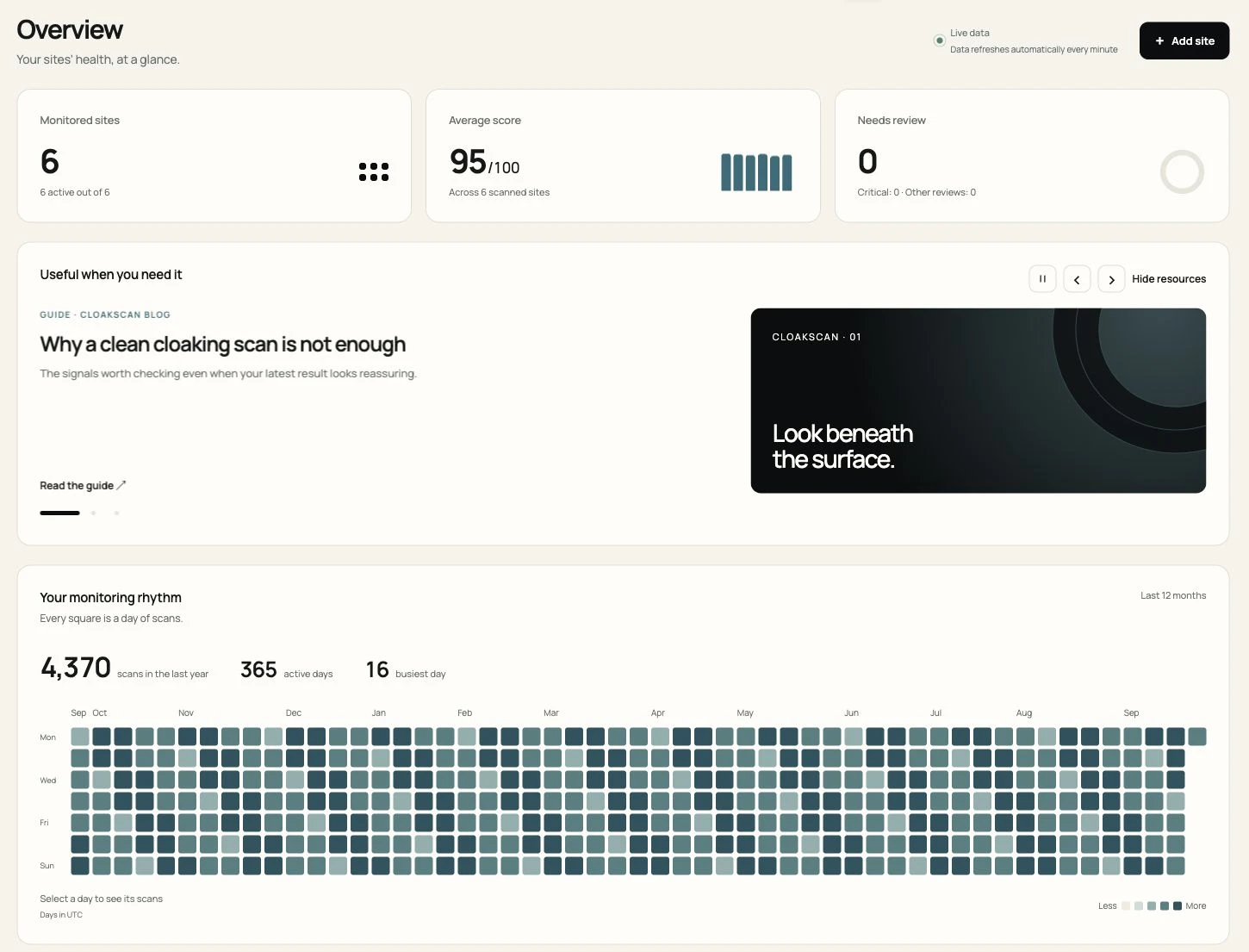
The overview brings monitored sites, average score and items needing review into a compact row of cards. Below that, score history and an activity calendar help you see how your monitoring has developed over time.
For an agency, that gives the morning check a useful starting point. Look at the sites needing attention, open the relevant site, then read the finding in context. An average score is a portfolio summary; the individual scan still provides the evidence for an investigation.
The activity calendar answers a different question: when did scans take place? Each square represents a day, making busy periods and gaps easier to spot. It records scan activity, rather than visits to your website.
Give each site a clearer story
The Sites page and site detail views have been redesigned around a consistent layout. Scan history, visitor and Googlebot comparisons, reports and badge settings are easier to move between, so you can stay with the same investigation as you explore its details.
Imagine a client asks why a result changed after a website update. Open the latest scan, inspect the finding, then compare it with earlier results. The refreshed layout brings those steps closer together. It also gives you a clearer place to review the public badge before adding it to a client site.
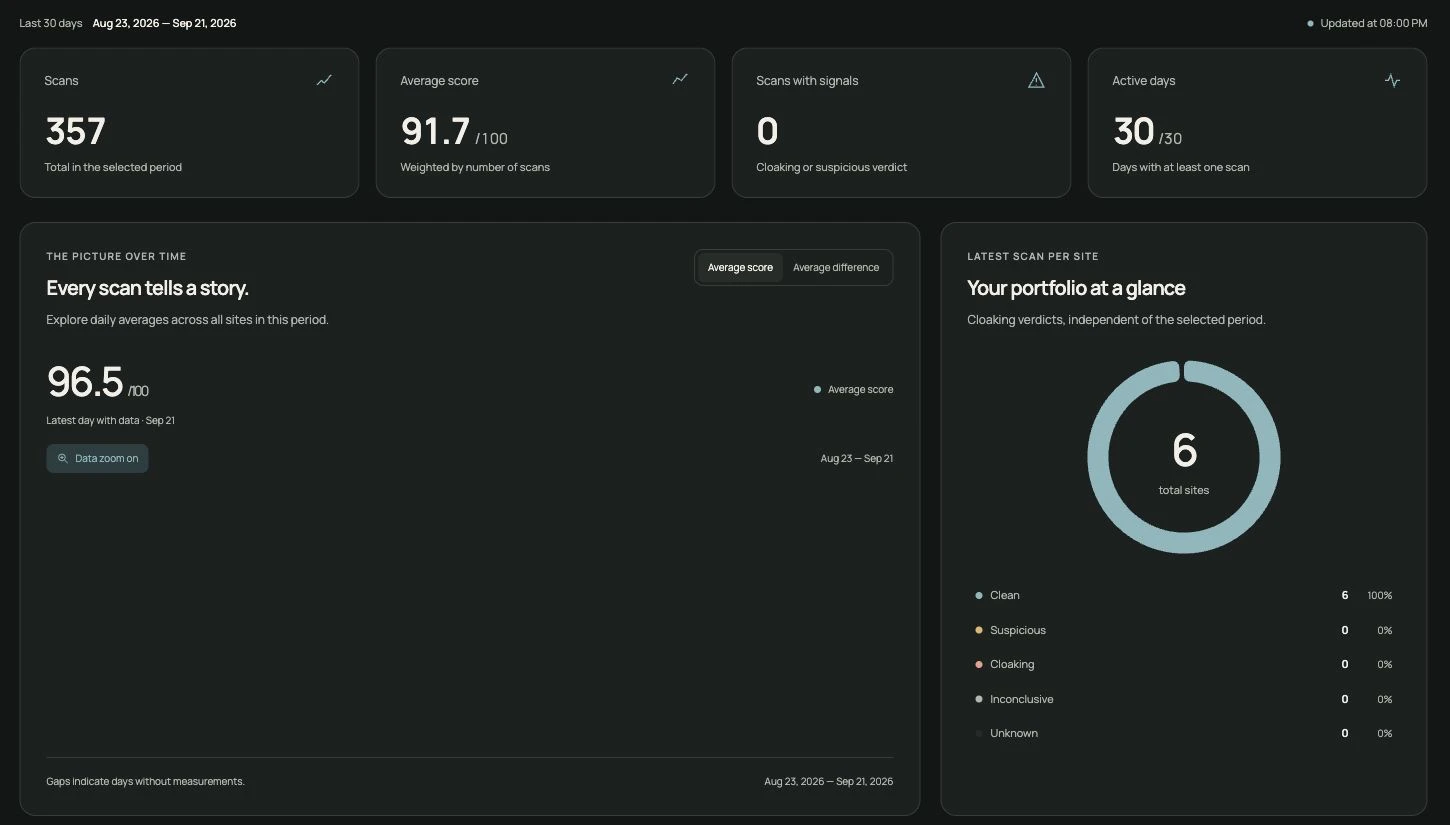
Analytics provides the wider view: score trends, scan coverage and findings across the selected period. Interactive charts let you inspect individual points instead of relying only on headline totals.
A workspace that fits your day
Choose light mode, dark mode or follow your system appearance. The theme carries through to login, and the desktop sidebar can collapse to icons when you want more room for charts and site details.
Notifications, settings, profile and support now share a more consistent structure. Plan information is clearer for Free accounts, and English and Italian are more consistent across interface messages, alerts, emails and reports.
The overview also includes a resource carousel with practical guides and recent articles. You can pause it or hide it when you want to focus on your sites.
More dependable scheduled scans
Some of this release's most useful changes happen behind the scenes. Scheduled scans now handle temporary interruptions more reliably, with automatic recovery and stronger safeguards against overlapping or duplicate work.
We have also corrected how recent scan history contributes to site reputation and improved how search index checks handle temporary failures and service limits. These changes support a more dependable monitoring routine, especially as a portfolio grows.
A scan remains an observation of the content and signals available at that moment. If you are deciding how regular checks fit your workflow, our guide to why one clean scan is not enough explains the role of scan history.
Introducing site baseline insights
Websites change. A shop updates its catalogue, a publisher adds stories, and a business replaces its homepage. Repeated observations can provide useful context for understanding those changes.
This release begins building site baseline insights as scan history accumulates. A site with little history may need more observations before useful context becomes available.
Baseline insights do not automatically change scan verdicts. They are a foundation for evaluating future improvements; we are not claiming that detection accuracy improves with every scan.
Try a simple daily routine
- Start in Overview. Check which sites need review and whether recent scan activity matches your expectations.
- Open the relevant site. Read its latest finding and inspect the available visitor and Googlebot evidence.
- Use history for context. Check whether the change is new, recurring or associated with a recent update.
- Return after taking action. Run a follow-up check and review the new result.
Existing users can explore the refreshed workspace by signing in. New users can create a free account to get started; scheduled monitoring and other features depend on the selected plan. See plans and included features for the details.